
How to Save Recipes from Instagram (2026): A Simple Guide for iPhone & Android
Also available in: 🇫🇷 Français · 🇩🇪 Deutsch
Updated September 2026. You scroll past a 30-second pasta reel that looks incredible — and by tomorrow morning, it's gone. Instagram's built-in save feature helps a little, but a "saved" reel isn't the same as a recipe you can actually cook from: no ingredient list, no measurements, no step-by-step instructions you can read while standing at the stove.
This guide walks through the four real ways to save recipes from Instagram in 2026, when each method makes sense, and the fastest way to turn a viral reel into a structured recipe with ingredients and instructions you can search later.
The Fastest Way to Save Recipes from Instagram in 2026
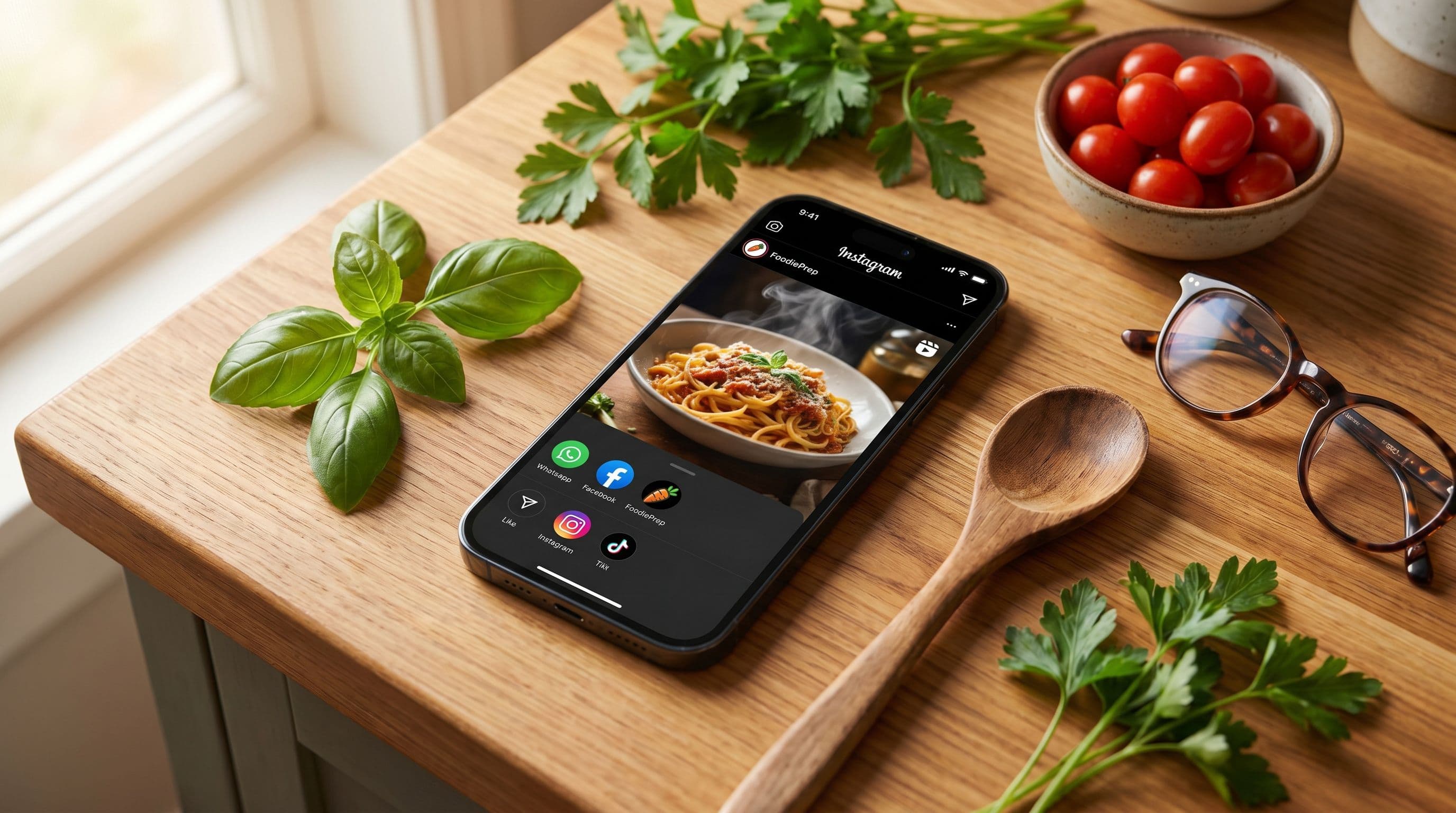
The fastest way to save a recipe from Instagram is to tap the share icon on the reel or post and select FoodiePrep directly from the share sheet. FoodiePrep reads the post and turns it into a real, structured recipe — with ingredients, step-by-step instructions, cook time, and nutrition — in under 30 seconds. No screenshots, no copy-paste, no retyping.
Instagram's built-in bookmark is fine for inspiration, but it doesn't give you a real recipe you can cook from. To get an editable, shoppable recipe — with ingredients you can add to a list — you need a dedicated recipe app.
Method 1: Use Instagram's Built-In Save Feature
Instagram has a bookmark icon under every post and reel. Tapping it stores the post in your "Saved" collection inside the app.
Steps (iPhone & Android):
- Open the recipe post or reel
- Tap the bookmark icon below the post (the ribbon-shaped icon)
- Optionally tap "Save to Collection" to organise it (e.g. "Pasta", "Desserts")
- To find it later: go to your profile → menu (☰) → Saved
Pros:
- Free and instant
- Works on every Instagram post, including reels and carousels
Cons:
- The recipe stays inside Instagram — you can't print, share, or edit it
- No structured ingredients or instructions — just the original caption
- If the creator deletes the post, you lose the recipe forever
- You can't search by ingredient or filter by diet
- Algorithmic feeds can quietly hide saved posts; many users report saved recipes "disappearing"
Best for: Quick visual inspiration, not actual cooking.
Method 2: Screenshot the Post or Copy the Caption
If the recipe is fully written out in the caption, you can screenshot or copy-paste it into your Notes app.
Steps:
- Tap the post to open it
- Tap the three-dot menu (•••) → Copy link or Copy caption
- Paste into Apple Notes, Google Keep, or your notes app of choice
- For visual reference, take a screenshot of the dish
Pros:
- Works offline
- The recipe is yours to edit and re-format
Cons:
- Not all creators put the full recipe in the caption — many only mention key ingredients and rely on the video
- Notes apps don't parse ingredients, so you can't add them to a shopping list with one tap
- You end up with dozens of unsorted notes that are hard to find later
Best for: Recipes with detailed captions when you don't mind the manual cleanup.
Method 3: Save the Reel to Camera Roll
For reels where the recipe is shown in the video and not written out in the caption, downloading the video is sometimes the only option.
Steps:
- Open the reel
- Tap Share → Save to Camera Roll (only works if the creator allowed downloads)
- If saving isn't allowed, use the screen-record feature on your phone
Pros:
- Captures step-by-step visuals
- Preserves cooking technique
Cons:
- You're scrubbing through a 30-second clip every time you want a measurement
- No ingredient list, no shopping list, no nutrition info
- Eats phone storage fast — recipe videos add up
- Many creators disable downloads
Best for: Technique reels (knife skills, plating) more than full recipes.
Method 4: Share Directly to a Recipe Saver App (The Smart Way)
A dedicated recipe-saver app reads the Instagram post or reel and converts it into a real recipe with structured ingredients, step-by-step instructions, cook times, and nutrition info — all editable, all searchable, all in one place.
This is what FoodiePrep was built for. The fastest way: tap Share inside Instagram, select FoodiePrep from your share sheet, and Chef Foodie — FoodiePrep's agentic AI assistant — does the rest. It pulls the recipe out of the caption and the video, structures the ingredients, fills in cook time and nutritional info, and saves it to your library.
Steps with FoodiePrep (the fastest way):
- On the Instagram reel or post, tap the paper-airplane share icon
- Tap Share to... (or scroll the share sheet)
- Tap FoodiePrep — if you don't see it the first time, scroll the share sheet or tap More; after the first use it pins to your suggestions
- The recipe lands in your library — fully structured, fully editable, with ingredients ready to add to your shopping list
Don't want to use the share sheet? You can also paste a URL:
- On the Instagram reel or post, tap Share → Copy Link
- Open FoodiePrep (iOS, Android, or web)
- Tap Add Recipe → Paste & Save
What you get:
- Structured ingredients with quantities and units
- Step-by-step instructions you can scroll while cooking
- Estimated cook and prep time
- Full nutrition: calories, protein, carbs, fat, fibre, sugar, sodium
- One-tap add to shopping list (and FoodiePrep flags items already in your pantry so you don't double-buy)
- Organise into recipe books for easy access
- Ask Chef Foodie for substitutions while you cook ("can I use Greek yoghurt instead of sour cream?")
Pros:
- The full recipe in seconds — no manual entry
- Searchable by ingredient, cuisine, dietary preference
- Works for Instagram, TikTok, YouTube, Facebook, websites, and even photos of cookbook pages
- Free tier available (Taster); Nutrition Pro unlocks unlimited imports
Cons:
- Needs an internet connection for the import (recipes work offline once saved)
Best for: Anyone who actually wants to cook the recipes they save, not just collect them.
Comparison: Which Method Should You Use?
| Method | Speed | Structured Recipe | Shopping List | Nutrition | Searchable | Best For |
|---|---|---|---|---|---|---|
| Instagram bookmark | Instant | No | No | No | No | Inspiration only |
| Screenshot / copy caption | Slow | No | No | No | Limited | Caption-only recipes |
| Save reel to camera roll | Slow | No | No | No | No | Technique videos |
| FoodiePrep recipe import | ~30s | Yes | Yes | Yes | Yes | Cooking the recipe |
How to Save a Recipe from Instagram with FoodiePrep (Step-by-Step)
Here's the full flow with the smart method, in detail.
The fastest way — share directly from Instagram (iPhone & Android):
- Install FoodiePrep on iOS or Android and sign in once.
- Open the recipe on Instagram — could be a reel, a post, or a carousel.
- Tap the paper-airplane share icon below the post.
- Tap "Share to..." or scroll the share sheet until you see FoodiePrep. The first time, you may need to tap "More" to find it; after that it pins to your suggestions.
- Tap FoodiePrep. Chef Foodie reads the post, extracts the recipe, fills in ingredients, instructions, cook time, and nutrition automatically.
- Review and save. Edit anything that's off, then save to a recipe book.
Tip: Some social apps show their own internal share panel first. Look for "Share to..." or "More" to reach the system share sheet where FoodiePrep lives.
Alternative — paste a URL:
If you don't want to use the share sheet (or you're on the web), tap Share → Copy Link in Instagram, open FoodiePrep, tap Add Recipe → Paste & Save. Same result, one extra step. The web flow at www.foodieprep.ai is identical.
Bonus: the same import flow works for TikTok, YouTube, Facebook, any recipe website, and even photos — you can snap a picture of a recipe card or cookbook page and FoodiePrep will read it.
Why Built-In Saving Falls Short
Instagram's save feature is built to keep you scrolling, not to help you cook. A few realities most people learn the hard way:
- The original creator can delete the post. Your "saved" recipe vanishes with it.
- No measurements means no shopping list. You can't plan a Sunday grocery run from a 30-second video.
- Saved posts get buried. Once you've saved 200, finding the chicken curry from three weeks ago is harder than searching Google.
- No nutrition data. If you're tracking macros, calories, or sodium, an Instagram bookmark is useless.
- You can't share it cleanly. Forwarding a recipe to a partner or family member means sending them an Instagram link they have to open in the app.
Instagram is just one source for your collection — for a wider look at where your recipes should live, see our comparison of the best recipe apps in 2026.
Save recipes from more than one platform? Our ranked guide to the best apps for saving recipes from social media compares the importers side by side — and if a recipe is on paper or in a screenshot, photo import turns the image into a recipe card.
Frequently Asked Questions
What is the app that downloads recipes from Instagram?
The most complete recipe-saver apps in 2026 are FoodiePrep, ReciMe, and Paprika. FoodiePrep stands out because it imports from Instagram, TikTok, YouTube, websites, and photos in one tap — and pairs the recipe with an agentic AI assistant (Chef Foodie) that builds shopping lists, plans your week, and answers cooking questions in real time. Free tier available; Nutrition Pro unlocks unlimited imports.
How do you copy recipes from Instagram reels?
To copy a recipe from a reel: tap the paper-airplane share icon under the reel, then tap "Copy link". You can paste that link into a recipe-saver app like FoodiePrep, which reads the reel and extracts the structured recipe automatically. If you only want the caption text, tap the three-dot menu (•••) on the reel and choose "Copy caption" — but note that many reels don't include the full recipe in the caption.
How do I get to my saved recipes on Instagram?
To find recipes you've saved on Instagram: open the app, tap your profile picture in the bottom-right, tap the menu icon (☰) in the top-right, then tap Saved. From there you'll see all your saved posts, sorted into the collections you've created. Note that this only shows the original Instagram posts — not a structured recipe. To get a recipe you can actually cook from, import the post into a dedicated recipe app.
How do I save Instagram recipes to FoodiePrep?
The fastest way is to tap the share icon on the Instagram reel or post and select FoodiePrep directly from your phone's share sheet — Chef Foodie reads the post and produces a structured recipe with ingredients, instructions, cook time, and nutrition in about 30 seconds, no copy-paste required. (If you don't see FoodiePrep the first time, scroll the share sheet or tap "More"; it'll pin to your suggestions after first use.) On the web, the alternative is to copy the Instagram link and paste it into Add Recipe at www.foodieprep.ai.
Can I save recipes from Instagram Reels with no caption?
Yes. Apps like FoodiePrep read the audio and on-screen text of the reel itself, so even when the creator doesn't write the recipe in the caption, the app can still extract ingredients and instructions from the video. Paste the reel link the same way you would for a normal post.
How do I save recipes from Instagram on iPhone?
The fastest method on iPhone in 2026 is the share sheet. Open the reel, tap the paper-airplane share icon, and select FoodiePrep from the iOS share sheet. The first time you may need to tap "More" to find FoodiePrep in the app list — after that it pins to your suggestions. If you'd rather not use the share sheet, tap Share → Copy Link in Instagram, then open FoodiePrep and tap Add Recipe → Paste & Save.
Can I print recipes from Instagram?
Not directly — Instagram has no print option. The workaround is to import the post into a recipe app. Once it's in FoodiePrep, you can view it on the web, copy the formatted text, and print from your browser. This is also the easiest way to keep a paper backup or laminate a card for the kitchen.
Is there a free app to save recipes from Instagram?
Yes. FoodiePrep has a free Taster tier that includes recipe imports from Instagram, TikTok, YouTube, and the web — enough for most casual cooks. The paid Nutrition Pro tier removes import limits and unlocks unlimited AI meal planning and advanced nutrition. There is no separate paywall just for Instagram saves.
Does Instagram delete saved recipes?
Instagram doesn't actively delete your saves, but if the creator deletes the original post, your saved version disappears too. This is the single biggest reason to use a dedicated recipe app: once a recipe is imported into FoodiePrep, it lives in your library permanently — even if the original Instagram post is gone.
The Bottom Line
Instagram's built-in bookmark is fine for inspiration. But if you actually want to cook the recipes you save — with a real shopping list, real measurements, and real searchability — you need a dedicated recipe-saver app.
FoodiePrep imports recipes from Instagram, TikTok, YouTube, Facebook, websites, and photos of cookbook pages, then combines them with an agentic AI assistant that plans your week, builds your shopping list, and guides you through cooking. Available free on iOS, Android, and the web.
Stop losing recipes to the algorithm. Save them properly.
Related reading
How to Save Recipes from YouTube (2026): A Step-by-Step Guide for iPhone, Android & Web
The fastest ways to save YouTube recipes in 2026 — playlists, descriptions, offline downloads, and one-tap recipe import. Turn any cooking video or Short into a structured, shoppable recipe on iPhone, Android, or web.
How to Save & Organize Recipes from Pinterest (2026): A Simple Guide for iPhone, Android & Web
How to turn your Pinterest recipe pins into real, cookable recipes in 2026 — save to boards, copy the source, save recipe-card images, or one-tap import into a structured recipe with a shopping list. iPhone, Android & web.
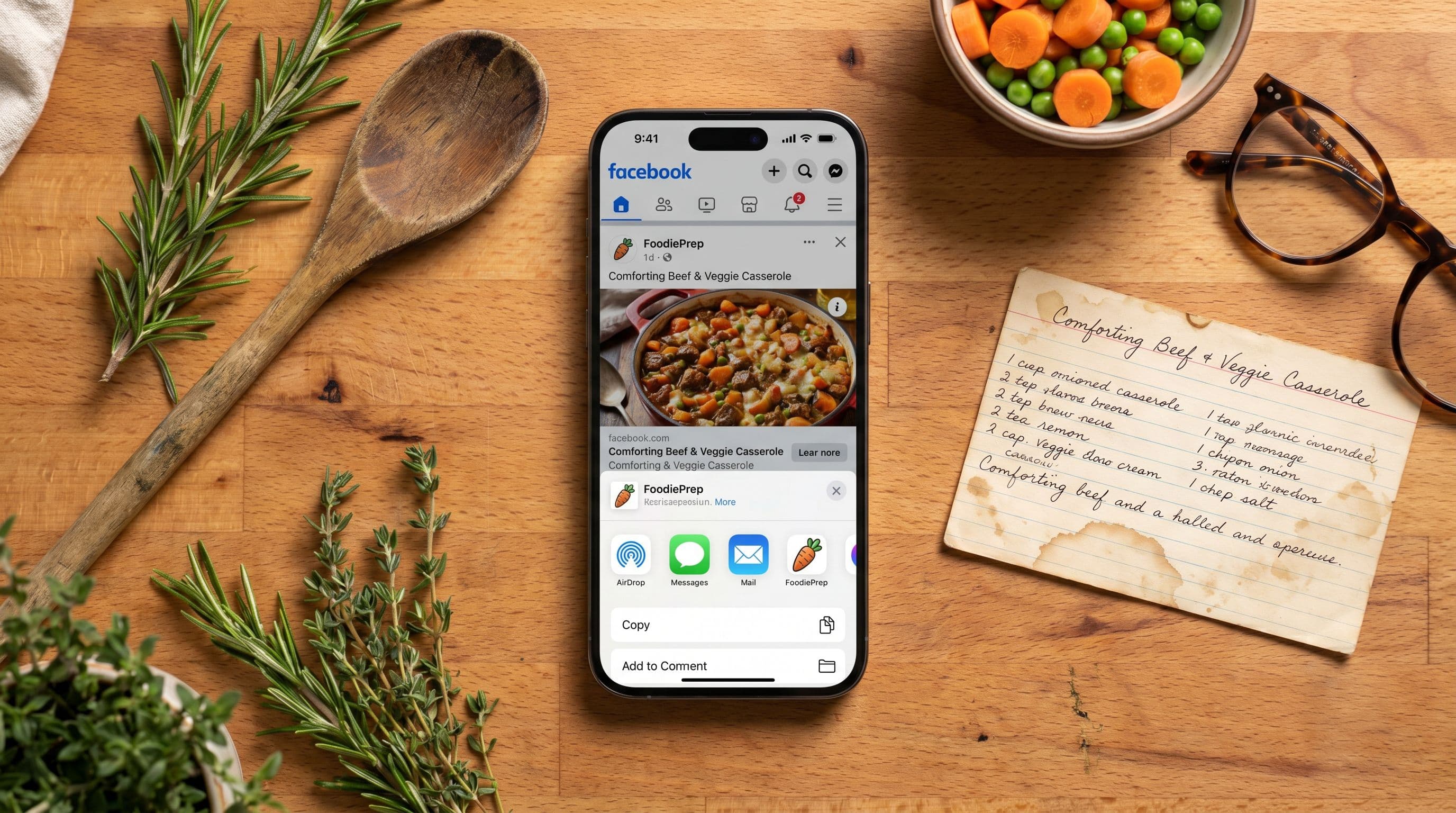
How to Save Recipes from Facebook (2026): A Simple Guide for iPhone & Android
The fastest ways to save Facebook recipes in 2026 — Facebook's built-in Save, captions and comments, video downloads, and one-tap recipe import apps. Step-by-step methods compared for iPhone, Android, and web.