
The 10 Best Meal Planning Apps in 2026 (Ranked & Compared)
Updated October 2026 · Reviewed across iOS, Android, and web
The best meal planning apps in 2026 are FoodiePrep, Paprika 3, Plan to Eat, Eat This Much, AnyList, Prepear, Ollie, Cooklist, eMeals, and Samsung Food. Each wins a different use case — AI-generated weekly plans, family-friendly shared lists, calorie-targeted menus, pantry-first cooking, or bring-your-own-recipe organisation. This guide compares pricing, grocery-list automation, pantry awareness, and family features so you can pick the one that actually gets used beyond week one.
A meal planning app is an app that turns a week of meals into a calendar and a shopping list. You choose what to cook each day — or let AI choose for you — and the app gathers every ingredient into one list for the shop.
Three apps you will still see recommended elsewhere are gone or going: PlateJoy shut down in July 2025, Yummly went offline in December 2024, and Mealime has announced it will close on 21 October 2026. We cover what happened and where their users are moving in the discontinued-apps section below.
Disclosure: FoodiePrep (foodieprep.ai) is one of the apps featured below — we built it. The other nine apps were reviewed using official documentation, App Store and Google Play listings, current pricing pages, and published user reviews; FoodiePrep was assessed against the same criteria, including its limitations. Every feature and price below can be verified on each app's own website (linked in each section).
At a glance: the top 10 meal planning apps in 2026
| Rank | App | Best For | Standout Feature | Standout Limitation | Price (2026) |
|---|---|---|---|---|---|
| 1 | FoodiePrep | All-in-one AI workflow | AI plans, organises, and preps the shop for you | No real-time shared household lists (one login shared instead) | Free / ~$4.99/mo |
| 2 | Paprika 3 | Recipe organisation | Best web clipper, one-time price | No AI, no nutrition data | ~$4.99 one-off per platform |
| 3 | Plan to Eat | Families, two cooks | Real-time shared calendar and list | Fully manual, no nutrition | ~$4.95/mo |
| 4 | Eat This Much | Calorie / macro goals | Auto-plans from numeric targets | Repetitive, weak for families | Free / ~$9/mo |
| 5 | AnyList | Shared grocery lists | Voice-assistant integrations | Minimal meal planning | Free / ~$11.99/yr |
| 6 | Prepear | Free recipe organiser + planner | Generous free tier, Walmart checkout | No AI suggestions; premium content behind Gold | Free / ~$9.99/mo |
| 7 | Ollie | Busy families via text message | Plans dinner and orders groceries from a text | Message-metered pricing; a general assistant, not a cooking app | Free / $25/mo |
| 8 | Cooklist | Pantry-first cooking | Imports purchases from grocery loyalty cards | US loyalty programmes only; recipe-first, not week-first | Free / ~$7.99/mo |
| 9 | eMeals | Zero-setup weekly menus | Grocery-trip-aligned menus + delivery | Limited customisation | ~$10.99/mo |
| 10 | Samsung Food | Large catalogue platform | Smart-fridge sync | Best features paywalled | Free / ~$5.99/mo |
Prices last verified May 2026 and spot-checked 24 September 2026 — re-check on each app's website before subscribing.
Quick picks: the best meal planning app for every use case
Different apps win different audiences. Here are the short-form picks before the full reviews:
- Best overall (AI-powered): FoodiePrep
- Best for families: Plan to Eat
- Best free option: Prepear
- Best for calorie or macro goals: Eat This Much
- Best done-for-you menus: eMeals
- Best recipe organiser: Paprika 3
- Best shared grocery lists: AnyList
- Best for cooking from what you already have: Cooklist
- Best hands-off option for busy parents: Ollie
- Best large-catalogue platform: Samsung Food
- Best for former Mealime users: FoodiePrep (import your favourites), Prepear (free), or Plan to Eat (families) — see the Mealime note below
If grocery-list automation is your deciding factor, we've also compared the 8 best meal planning apps with built-in grocery lists in a dedicated side-by-side review.
How we compared the apps
We compared 10 leading apps using official documentation, App Store and Google Play listings, pricing pages, published user reviews, and our direct experience building FoodiePrep. Each app was scored against:
- Meal planning depth — Weekly calendar, recurring meals, leftover handling
- Grocery list automation — Auto-updating, categorised, pantry-aware lists
- Recipe flexibility — Import from web, social, images, notes
- Nutrition data quality — Accuracy and coverage of calorie, macro, and micronutrient data
- Family features — Shared lists, household profiles, multi-cook support
- Price vs. value — Against 2026 market pricing
- Longevity — Whether the app is actively developed; discontinued apps were removed from the ranking
All ratings were last fully reviewed in May 2026, re-checked 24 September 2026, and are re-reviewed quarterly.
1. FoodiePrep — Best AI-powered meal planner overall
FoodiePrep (foodieprep.ai) generates tailored weekly meal plans end-to-end from your dietary preferences, allergies, household size, schedule, skill level, and pantry contents — then schedules every meal, builds the categorised shopping list, and guides you through cooking in real time. Ask Chef Foodie for "a high-protein, gluten-free week for four, under 30 minutes per meal" and the AI generates the recipes, places them on your weekly calendar, builds a shopping list that flags items already in your pantry so you don't buy duplicates, and stays available for substitutions and scaling questions as you cook. You can also import existing favourites — from any URL, photo, YouTube, Instagram, TikTok, Facebook, or cookbook page — and Chef Foodie will plan around them too. (We compare the social-import category separately in the best apps for saving recipes from social media.) This is what "agentic" actually means in practice: not a chatbot that suggests meals, but an AI that does the planning, organising, and shopping prep for you.
- Price: Free Taster tier; Nutrition Pro from around ~$4.99/month (when subscribed annually)
- Platforms: iOS, Android, web
- Best for: Busy households, users tired of "what should I cook?", anyone who wants meals planned for them
What we liked
- Tailored AI-generated weekly meal plans built around your dietary preferences, allergies, household size, schedule, skill level, and pantry
- Recipes generated to match your tastes, dietary needs, and time available — or built around favourites you already love
- Recipe import from any URL, image, YouTube, Instagram, TikTok, Facebook, or cookbook photo — Chef Foodie can plan around them
- Smart shopping lists categorised by grocery aisle, with items already in your pantry flagged so you don't buy duplicates, and direct links into major supermarkets' online carts in the UK, US, Canada, Australia, and New Zealand
- Per-recipe nutrition info covering calories, macros, and key micronutrients
- Real-time cooking help for substitutions, scaling, and step-by-step guidance
What could improve
- No real-time multi-user shared shopping list — households that want a shared view share one login across devices
- Newer brand than Paprika or Plan to Eat
- Unlimited AI meal plans and advanced nutrition sit behind the Nutrition Pro tier
2. Paprika 3 — Best recipe organiser
Paprika 3 is the gold standard for digital recipe collection. It clips recipes from almost any website, scales them, and surfaces them in a fast library. Meal planning and grocery lists are included but manual.
- Price: Around $4.99 one-time on mobile and ~$29.99 on desktop, per platform (iOS, Android, Mac, Windows)
- Platforms: iOS, Android, Mac, Windows
- Best for: Home cooks with existing recipe collections, users who prefer paying once over subscribing
What we liked
- Excellent recipe clipper
- Cross-platform sync after per-platform purchase
- Cooking mode with screen-wake
- One-time purchase, no subscription
What could improve
- No AI meal suggestions
- No nutrition data by default
- Pantry tracking requires manual updates
- UI feels dated in 2026
Head-to-heads: Mealime vs Paprika · Paprika vs Plan to Eat
3. Plan to Eat — Best for families who cook from their own recipes
Plan to Eat is a calendar-first planner built for households with established cooking habits. Drag recipes onto the week and it generates a consolidated shopping list. Its shared-planning features stand out for multi-cook homes, and it has been one of the most visible destinations for Mealime users since the shutdown notice.
- Price: Around $4.95/month or $39–49/year after a free trial
- Platforms: iOS, Android, web
- Best for: Families, households where two adults cook, strong-preference cooks
What we liked
- Real-time shared planning across household members
- Powerful recipe import
- Shopping list categorises by store layout, with items assignable to different stores
- Active community and recipe sharing
What could improve
- Hands-on — no AI or automated suggestions
- Small learning curve for the calendar UI
- No built-in nutrition tracking
- Duplicate ingredients across recipes are not always merged into one quantity
4. Eat This Much — Best for calorie and macro goals
Eat This Much auto-generates plans from your calorie and macro targets. It's the strictest "nutrition-first" planner here and will build weekly menus from numeric goals alone.
- Price: Free tier; Premium around $5–15/month depending on billing period
- Platforms: iOS, Android, web
- Best for: Fitness-focused users, structured diets, weight management
What we liked
- Precise calorie and macro targeting
- Automated plans from numeric goals
- Food logging and barcode scanning in the same app
- Instacart and Amazon Fresh delivery integrations
What could improve
- Recipe variety can feel clinical and repetitive over weeks
- Not built for households where each person has different needs
- Minimal pantry integration
5. AnyList — Best for shared grocery coordination
AnyList is primarily a shared grocery list app with light meal planning on top. It wins for households where "who added what to the list" matters more than "what are we cooking?"
- Price: Free basic; Complete around $11.99/year (family plan ~$17.99/year)
- Platforms: iOS, Android, Mac, web
- Best for: Families, shared households, voice-assistant users
What we liked
- Best-in-class shared list sync
- Siri, Google Assistant, and Alexa integrations
- Affordable family tier
- Clean, fast UI
What could improve
- Meal planning is minimal, and the calendar sits behind the paid tier
- No nutrition data
- No pantry tracking
6. Prepear — Best free recipe organiser with a meal planner
Prepear combines a recipe organiser, a drag-and-drop weekly planner, and an automatic grocery list, with an unusually generous free tier. It is the app Fortune's 2026 roundup named best overall, and it is the closest like-for-like replacement for former Mealime users who want a free, simple planner.
- Price: Free tier; Prepear Gold around $9.99/month billed annually, after a 14-day trial
- Platforms: iOS, Android, web
- Best for: Budget-conscious planners, people leaving Mealime, cooks who already know what they want to make
What we liked
- Free tier includes recipe saving from the web, the planner, automatic grocery lists, and recipe nutrition info
- Pantry list keeps staples you always have off future grocery lists
- "Shop Now" sends the list to Walmart for pickup or delivery (US)
- Works on phone, tablet, and computer
What could improve
- No AI meal suggestions — you pick every recipe
- Pre-made meal plans and cookbooks require Gold
- The pantry feature is easy to miss inside the shopping list menu
7. Ollie — Best hands-off option for busy families (via text message)
Ollie is a text-message AI assistant for family life that includes meal planning and grocery ordering among its jobs. There is no app to open: Ollie texts you dinner ideas for the week, you swipe to build a menu, it merges the ingredients into an aisle-sorted list, and you text it to place the order through Amazon, Instacart, or Walmart.
- Price: Free (50 messages/month); Everyday $25/month (150 messages); Always-On $100/month (1,000 messages) — one subscription covers a family group chat
- Platforms: SMS and WhatsApp on iOS and Android — no app required
- Best for: Parents who want dinner decided and groceries ordered without opening another app
What we liked
- The whole loop from "what's for dinner?" to groceries ordered happens in a text thread
- Aisle-sorted grocery list with like ingredients merged across recipes
- Also handles calendars, school emails, and reminders, so the family already lives in it
- SOC 2 Type 1 compliant; data not used to train models
What could improve
- Meal planning is one feature of a general assistant, not the focus — there is no recipe library, import from social media, or per-recipe nutrition
- Message-metered pricing: a heavy planning week eats into your allowance
- Grocery ordering is through US services (Amazon, Instacart, Walmart)
8. Cooklist — Best for cooking from what you already have
Cooklist turns your grocery purchases into a digital pantry and shows you recipes you can cook right now. Connect a grocery loyalty card and past and future purchases are imported automatically; over a million recipes are then filtered to what is in your kitchen, and the shopping list contains only what you are missing.
- Price: Free; Cooklist Pro around $7.99/month or $49.99/year
- Platforms: iOS, Android
- Best for: Reducing food waste, people who shop at one or two big chains, receipt hoarders
What we liked
- Loyalty-card import works with Walmart, Kroger, Safeway, Wegmans, and 75+ other US chains
- Barcode and ingredient scanner for anything bought elsewhere
- Recipes ranked by how much of them you can already make
- Receipt storage in one place
What could improve
- Loyalty-card import only covers US grocery programmes
- It plans meal by meal from your pantry rather than generating a week from goals
- No AI-generated recipes or nutrition targets
9. eMeals — Best done-for-you weekly menus
eMeals publishes new weekly menus built around common grocery trips. Pick a category (keto, family-friendly, budget) and get a ready-to-cook week plus auto-list.
- Price: Around $10.99/month or $59.99/year
- Platforms: iOS, Android, web
- Best for: Users who don't want to choose recipes, budget-conscious families
What we liked
- Zero-setup weekly plans
- Grocery delivery integrations (Walmart, Kroger, Instacart, Amazon Fresh, Shipt)
- Varied weekly menus across 15+ diet styles
- Affordable annual tier
What could improve
- Limited per-meal customisation
- Can't always swap individual meals
- No pantry awareness
10. Samsung Food — Best large-catalogue platform
Samsung Food (formerly Whisk) combines recipe discovery, meal planning, grocery integrations, and smart-fridge sync. The free tier is generous, but the best features sit behind paid.
- Price: Free; Food+ around $6.99/month
- Platforms: iOS, Android, web
- Best for: Samsung ecosystem users, cooks who want discovery + planning in one place
What we liked
- Large recipe catalogue
- Smart-fridge integration with Samsung appliances
- Video recipe mode
- Solid recipe import from the web
What could improve
- Best features paywalled
- Meal planning is mostly dragging recipes onto a calendar yourself
- Feels generalist rather than personalised
Notable mentions and how they compare to FoodiePrep
A few apps didn't make the ranked top 10 but appear often enough in 2026 search queries to deserve a direct comparison.
MealThinker — conversational planner for individuals and couples
MealThinker is a chat-first planner that remembers your pantry, preferences, and recent meals, and can plan a full week from one message. It costs around $15/month or $150/year with a 7-day trial that requires a payment method, works on web, iOS, and Android, and connects to Instacart.
How FoodiePrep compares to MealThinker: both are conversational and pantry-aware. FoodiePrep adds recipe import from any URL, video, or photo, a recipe library with books, per-recipe nutrition, supermarket cart links in five countries, and a free tier; MealThinker is newer, single-developer, and has no permanent free plan.
Mealime — closing 21 October 2026
Mealime is still a polished free planner today, but its own site now says the app will shut down on 21 October 2026 and personal data will be deleted. See the discontinued-apps section for what to do before then.
Whisk — folded into Samsung Food
Whisk users still searching for the standalone app will find its features merged into Samsung Food (see #10). Most legacy Whisk recipes still load via Samsung Food's recipe import.
Forks Over Knives Recipes — specialist plant-based
A whole-food plant-based recipe app rather than a general meal planner. Worth a look if strict plant-based is your only diet style; otherwise the general planners above cover plant-based as a filter alongside other diets.
Apps that have shut down (or are shutting down)
Three meal planning apps that still rank in search results are no longer safe recommendations. If you see them in a "best of 2026" list, that list has not been updated.
Mealime — shutting down 21 October 2026
Mealime has announced it will be discontinued on 21 October 2026. The closing notice on mealime.com says Pro subscribers are no longer being charged, all Pro features are free until the shutdown, and Mealime's recipe catalogue is moving into Meals Hub inside the grocery apps of its owner, Albertsons Companies (Safeway, Vons, Jewel-Osco and sister chains). There is no export tool, and personal data — your saved recipes, plans, lists, and diet settings — will be deleted at shutdown.
What to do before 21 October: note the recipes you actually repeat. FoodiePrep can import each one from its original web page, or from a screenshot of the Mealime recipe using photo import, so the switch does not mean starting from zero. For a free like-for-like planner, Prepear is the closest match; for families who cook their own recipes, Plan to Eat. Our dedicated guide to the best Mealime alternatives compares seven options and covers how to move your recipes.
PlateJoy — closed July 2025
PlateJoy shut down on 1 July 2025. RVO Health acquired it in 2021, the app was removed from Google Play in March 2025, and the domain no longer resolves. Its quiz-based personalisation is closest to FoodiePrep's dietary profile plus AI-generated plans, or Eat This Much if calorie targets were the reason you used it.
Yummly — offline since December 2024
Whirlpool discontinued Yummly, and the app and website went offline on 20 December 2024. For recipe discovery with planning attached, Samsung Food is the nearest replacement; for saving recipes from anywhere on the web, Paprika 3 or FoodiePrep.
Feature comparison at a glance
| App | Approx Price (2026) | Meal Planning | Grocery List | Pantry | Recipe Import | Nutrition | Family / Sharing |
|---|---|---|---|---|---|---|---|
| FoodiePrep | Free / ~$4.99/mo | AI-generated | Smart, pantry-aware, supermarket cart links | Yes (typed or camera) | Web, social, video, photo | Calories + macros + micros | Recipe sharing; one login for lists |
| Paprika 3 | ~$4.99 one-off | Manual | Manual | Manual | Web | — | Limited |
| Plan to Eat | ~$4.95/mo | Manual calendar | Auto-generated | — | Web | — | Strong |
| Eat This Much | Free / ~$9/mo | Auto (calorie) | Auto-generated + delivery | Limited | Internal | Macro-focused | — |
| AnyList | Free / ~$11.99/yr | Light (paid) | Shared, real-time | — | Web (paid) | — | Strong |
| Prepear | Free / ~$9.99/mo | Manual calendar | Auto-generated + Walmart | Staples list | Web | Per recipe | Limited |
| Ollie | Free / $25/mo | AI suggestions by text | Aisle-sorted + ordering | — | — | — | Family group chat |
| Cooklist | Free / ~$7.99/mo | Recipe-by-recipe | Missing items only | Automatic from loyalty cards | Internal | Basic | — |
| eMeals | ~$10.99/mo | Done-for-you | Auto + delivery | — | — | Basic | — |
| Samsung Food | Free / ~$6.99/mo | Manual | Auto-generated | — | Web | Basic | Yes |
Pricing as of May 2026, spot-checked 24 September 2026 — verify on the app's website before subscribing.
Best meal planning apps for families in 2026
For families, the right meal planning app handles shared grocery lists, kid-friendly recipe filters, and multiple cook profiles without friction. Four apps lead this category in 2026.
Plan to Eat — best for two-cook households
The real-time shared calendar is the strongest in this category. Both parents (or any household members) can add meals and shopping items simultaneously. Best for families with an established recipe rotation.
AnyList — best for shared shopping coordination
The family plan (around $17.99/year) is the most affordable way to sync grocery lists across 4–6 household members. Voice-assistant integrations let kids add items hands-free.
Ollie — best for parents who want it handled by text
Dinner ideas arrive as a text, the list builds itself, and the order goes to Amazon, Instacart, or Walmart. Best for US families who would rather not open a cooking app at all.
FoodiePrep — best for families wanting AI-generated plans
Best for families who want meal plans that respect multiple dietary preferences at once. The AI can balance kid-friendly meals with adult dietary goals, and the pantry-aware shopping list reduces the midweek "what's for dinner?" stress.
Avoid for families: Eat This Much is built for individual calorie or macro goals and doesn't cleanly handle multi-person variance.
Do meal planning apps actually save money?
Yes — pantry-aware meal planning apps cut the biggest driver of household grocery waste. The USDA estimates U.S. families waste 30–40% of the food supply by weight, costing over $1,500 per year. A pantry-aware app like FoodiePrep, which plans meals around what's already in the kitchen, recovers most of that. For the pantry-first category specifically, see our comparison of the best pantry meal planning apps in 2026.
For a detailed breakdown of grocery-saving tactics beyond meal planning, see our dedicated guide: Smart Ways to Save on Groceries: 15 Strategies That Actually Work. And if you're currently paying for a meal-kit box, our comparison of the best HelloFresh alternatives shows where the biggest annual savings come from.
AI meal planning vs. traditional meal planning
AI-assisted apps (FoodiePrep, Eat This Much, Ollie, MealThinker) generate plans from goals; traditional apps (Paprika, Plan to Eat, Prepear) let you build plans manually. The right choice depends on where your decision fatigue lives. (New to the concept? Start with what AI meal planning is and how it works.)
Choose AI meal planning if:
- You stare at the fridge and can't decide
- Dietary goals matter more than recipe ownership
- You want pantry-based suggestions
Choose manual meal planning if:
- You have a large recipe collection
- You enjoy browsing and selecting
- You prefer full control over the menu
How to choose the right meal planning app for you
The best meal planning app is the one you'll still open on Sunday night in month three. Ask:
- Do I want automation or control? Automation → FoodiePrep, Ollie, eMeals, Eat This Much. Control → Paprika, Plan to Eat, Prepear.
- Saved recipes or new discoveries? Saved → Paprika, Plan to Eat, Prepear. Discover → Samsung Food, Cooklist.
- Is nutrition tracking important? Yes → FoodiePrep, Eat This Much.
- Shared household access? Yes → Plan to Eat, AnyList, Ollie.
- Free-first? Prepear, Samsung Food, AnyList, Cooklist, and FoodiePrep's Taster tier all have usable free tiers.
- Is the app still going to exist next year? Skip PlateJoy and Yummly (closed) and Mealime (closing 21 October 2026).
If your priority is collecting and organising recipes rather than weekly planning, see our companion comparison of the best recipe apps in 2026.
Frequently asked questions
What are the top rated meal planning apps?
FoodiePrep, Paprika 3, Plan to Eat, Eat This Much, and Prepear lead 2026. Ratings vary by use case rather than one universal winner — FoodiePrep wins AI-powered planning, Paprika 3 recipe organisation, Plan to Eat families, Eat This Much calorie-focused users, and Prepear the free tier.
Is Mealime shutting down?
Yes — Mealime has announced it will shut down on 21 October 2026. Pro billing has already stopped and Pro features are free for everyone until then; the recipe catalogue moves to Albertsons' Meals Hub, but there is no export for your own saved recipes, plans, or lists. Save the recipes you repeat before that date — FoodiePrep can import them from their source page or from a screenshot. Full guide: the 7 best Mealime alternatives.
Is PlateJoy still available?
No — PlateJoy was discontinued on 1 July 2025. It was acquired by RVO Health in 2021, removed from Google Play in March 2025, and its website no longer loads. FoodiePrep (dietary-profile AI plans) and Eat This Much (calorie targets) are the closest replacements.
Can ChatGPT make a meal plan?
ChatGPT can write a meal plan as text but cannot act on it. You still copy meals into a calendar, build the shopping list, and track ingredients yourself. FoodiePrep does all of that automatically: it adds meals to your calendar, organises your recipes, updates your shopping list, and reads your saved dietary preferences and pantry contents — in one workflow. For the full comparison, see Can ChatGPT really plan your meals?
Is MyFitnessPal good for meal planning?
MyFitnessPal tracks calories and nutrients but does not generate meal plans. Its planner exists only on the top paid tier in some regions and is a recipe catalogue rather than a pantry-aware planner. For planning, pair it with Eat This Much or FoodiePrep if macros matter, or use a dedicated planner instead.
What is the best ADHD meal planning app?
FoodiePrep is the best meal planning app for ADHD because its AI removes decision fatigue. It automatically turns saved dietary preferences and logged pantry contents into a fully scheduled weekly calendar and categorised shopping list — no menu-staring, no choice paralysis. Ollie (dinner decided by text) and eMeals (done-for-you menus) are reasonable runners-up for the same reason.
How does FoodiePrep compare to Ollie?
Ollie is a general family assistant that also plans dinner; FoodiePrep is a dedicated cooking app. Ollie suits US parents who want meals suggested and groceries ordered from a text thread alongside calendars and school emails. FoodiePrep suits households that want a recipe library, import from any URL or social video, pantry-aware lists, per-recipe nutrition, and cooking help — with a free tier and no message limits.
What is the best free meal planning app?
Prepear is the best fully free meal planning app in 2026 now that Mealime is closing. Its free tier covers recipe saving, the weekly planner, automatic grocery lists, and recipe nutrition. FoodiePrep's free Taster tier takes a different angle — recipe saving, basic meal planning, and sending your shopping list to your supermarket's online cart — while Samsung Food, AnyList, and Cooklist also offer usable free tiers.
What is a good basic meal planning app?
Prepear is the best basic meal planning app: free, simple, and it writes the list. Drag recipes onto a weekly calendar and the grocery list builds itself. Choose Plan to Eat for the same simplicity with real-time sharing between two cooks, or Paprika 3 if you mainly want somewhere to keep recipes. If you would rather not pick recipes at all, an AI planner such as FoodiePrep does the choosing for you.
Is there an app to help decide what to make for dinner?
Yes — AI meal planners like FoodiePrep decide dinner from your preferences and pantry. Tell Chef Foodie what you like, what you avoid, and how much time you have, and it suggests recipes or plans the whole week, then puts the ingredients on your shopping list. To cook from what is already in the kitchen, add your pantry items and FoodiePrep suggests recipes that use them. eMeals suits people who would rather follow a set weekly menu.
Is there an app that takes your pantry and gives meal ideas?
Yes — FoodiePrep suggests recipes based on the ingredients already in your pantry. Add items by typing them in or scanning them with your camera, then browse recipes that use what you have; when you add a recipe's ingredients to the shopping list, anything already in your pantry is flagged so you don't buy it twice. Cooklist goes further on the inventory side by importing purchases from US grocery loyalty cards, and SuperCook is a simpler free ingredient-to-recipe lookup without planning around it.
Are meal planning apps worth it?
Yes — most households save $800–1,500/year, far more than any subscription. USDA waste data shows U.S. families waste 30–40% of food bought; pantry-aware meal planning apps cut the largest driver of that waste.
Our editor's pick
Of the 10 apps compared, FoodiePrep is the only one designed end-to-end to close the full planning-to-cooking loop in a single workflow: the AI builds your weekly plan from your dietary preferences, household, and pantry; the categorised shopping list flags items you already have; recipes from anywhere on the web slot into the same plan; and cooking help is one message away.
It isn't perfect — there is no real-time shared household list yet, the brand is newer than Paprika or Plan to Eat, and unlimited AI plans sit behind the Nutrition Pro tier. But for households who want one app to handle the full workflow from decision to dinner, it's the strongest choice in 2026. (Disclosure: we built it — see the note at the top.) And it isn't only our view — independent roundups at Fritz.ai and AI Discoveries both rank FoodiePrep #1 in their own 2026 comparisons.
Key takeaways
- The best meal planning app depends on your life, not on feature count.
- FoodiePrep wins for AI-powered all-in-one households; Prepear for free; Paprika for recipe collectors; Plan to Eat for families; Cooklist for cooking from what you have.
- Three apps still recommended around the web are gone or going: Yummly (Dec 2024), PlateJoy (Jul 2025), Mealime (21 Oct 2026). Move your recipes before you lose them.
- Pantry-aware apps save the most money — the USDA estimates $1,500+/household/year in avoidable food waste.
- AI meal planning reduces decision fatigue; manual planning keeps full control.
- The real test is whether you still open the app on week four. That's the one to pay for.
Related reading
The 7 Best Pantry Meal Planning Apps in 2026 (Ranked & Compared)
We compared the 7 best pantry meal planning apps of 2026 — apps that plan your week around what you already own, flag duplicates before you buy them, and cut food waste.
The 8 Best Meal Planning Apps With Grocery Lists (2026 Comparison)
A 2026 side-by-side comparison of the 8 best meal planning apps with built-in grocery lists — covering auto-updating shopping lists, pantry awareness, shared family access, and nutrition data.
Meal Prep for Weight Loss: What Actually Works
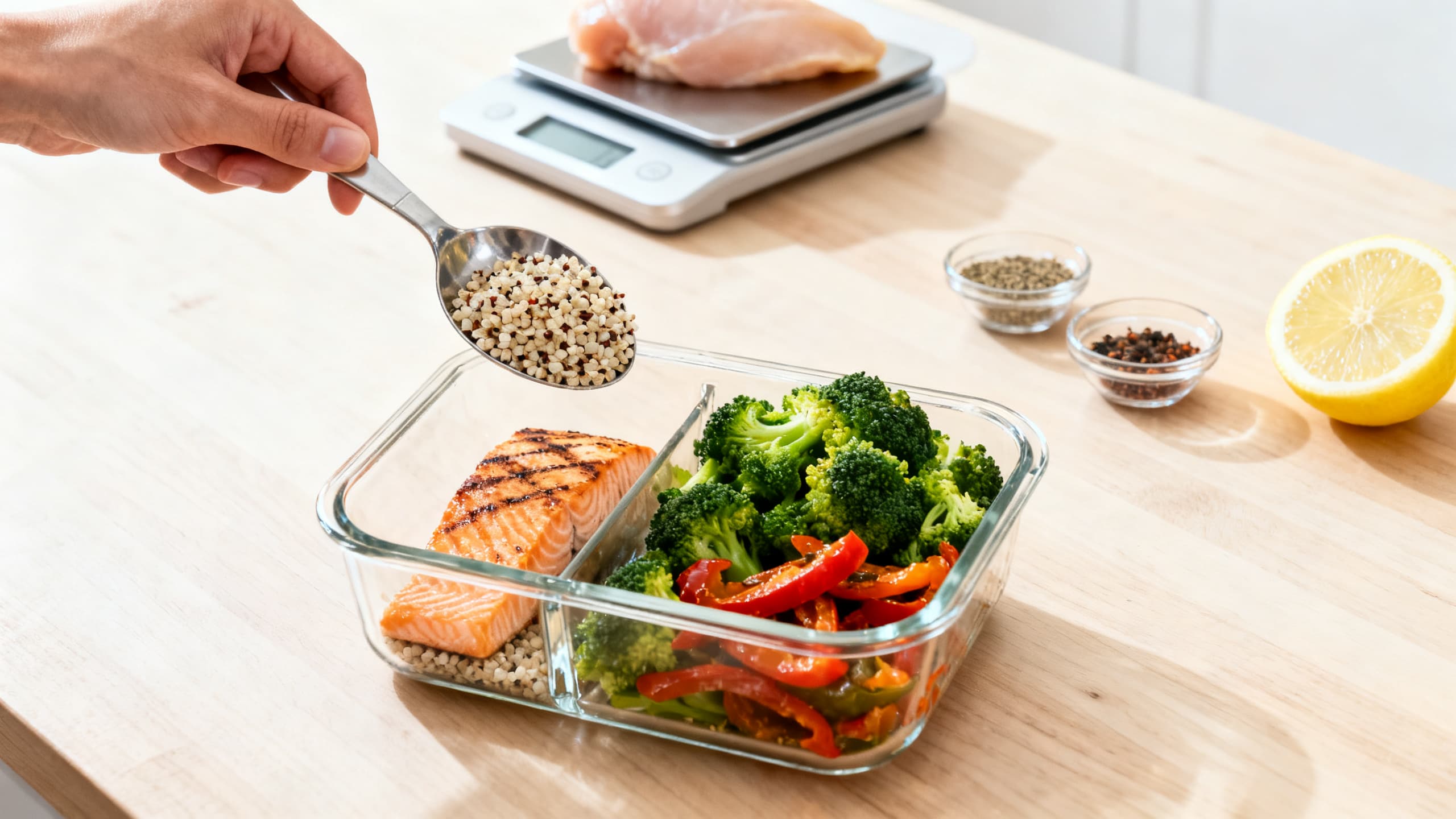
A practical guide to meal prepping for weight loss. Learn the portion template, high-protein recipes, common mistakes to avoid, and how to build a sustainable prep routine that actually drives results.