
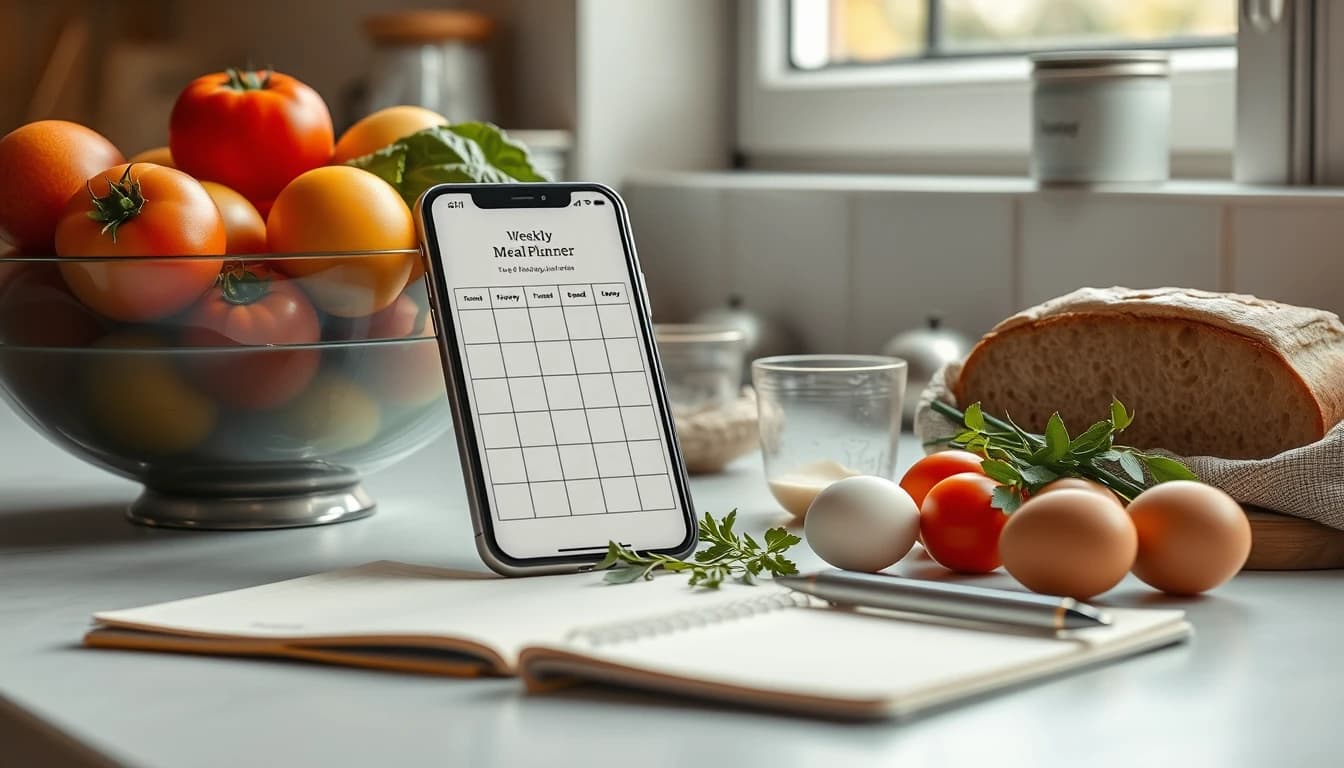
Mealime Is Shutting Down: The 7 Best Mealime Alternatives (2026)
Updated 24 September 2026 · Reviewed across iOS, Android, and web
Mealime will be discontinued on 21 October 2026, and the best alternatives are FoodiePrep for AI-planned weeks with recipe import, Prepear for a free planner with an automatic grocery list, Plan to Eat for families, Eat This Much for calorie targets, Samsung Food for a large free catalogue, AnyList for shared lists, and Albertsons' Meals Hub if you shop at one of its stores. This guide covers what Mealime's closing notice actually says, what to do before the date, and which app fits the way you used Mealime.
Disclosure: FoodiePrep (foodieprep.ai) is one of the apps compared below — we built it. The other six were reviewed using their official documentation, App Store and Google Play listings, current pricing pages, and published user reviews; FoodiePrep was assessed against the same criteria, including where it falls short of Mealime.
What is happening to Mealime?
Mealime's official closing notice says the app will be discontinued on 21 October 2026, paid subscriptions are being wound down now, and all personal data will be deleted when the app shuts down. Mealime was bought by Albertsons Companies in 2021, and the company is moving its recipes and planning tools into Meals Hub, a section inside the Albertsons family of grocery apps (Safeway, Vons, Jewel-Osco, ACME, Shaw's, Tom Thumb, Randalls and others).
The facts from the notice, in plain terms:
- Date: 21 October 2026. The app works normally until then.
- Pro: subscribers are no longer charged, and every Pro recipe and feature is unlocked for all users in the meantime.
- Recipes: Mealime's own catalogue continues inside Meals Hub, which is free and available in the Albertsons store apps and websites — you do not need a store nearby to browse recipes and build a list there.
- Your data: dietary preferences have to be set up again inside Meals Hub, and everything else — your favourites, past plans, shopping lists — is deleted at shutdown. Mealime has never offered an export.
What to do before 21 October
Save the recipes you actually repeat, then pick a replacement and set it up before the deadline — not after. In practice:
- Open Favourites and write down the ten meals you cook most. That short list is worth more than the other ninety.
- Screenshot each one — the ingredient list and the steps. Mealime recipes do not have a public web page, so a screenshot is the only copy you will have.
- Note your dietary settings (diet type, allergies, dislikes, serving size) so you can recreate them in one go.
- Pick a replacement from the list below and import your screenshots. FoodiePrep reads a recipe straight from a photo or screenshot; Paprika and Prepear accept typed-in recipes.
- Plan next week in the new app while Mealime is still open so you can compare the grocery list side by side.
The 7 best Mealime alternatives at a glance
| Rank | App | Best For | Closest to Mealime Because | Free Tier? | Price (2026) |
|---|---|---|---|---|---|
| 1 | FoodiePrep | Guided weekly plans, upgraded with AI and recipe import | Set preferences once, get a full week planned, list built automatically | Yes | Free / ~$4.99/mo |
| 2 | Prepear | A free planner with an automatic grocery list | Simple weekly planner, aisle-sorted list, Walmart checkout | Yes | Free / ~$9.99/mo |
| 3 | Plan to Eat | Families who plan from their own recipes | Calendar + auto list, shared across the household | Trial only | ~$4.95/mo |
| 4 | Eat This Much | Calorie and macro targets | Auto-generated weekly plans and lists | Yes | Free / ~$5–15/mo |
| 5 | Samsung Food | Free recipe catalogue with planning | Huge catalogue, dietary filters, aisle-sorted list | Yes | Free / ~$6.99/mo |
| 6 | AnyList | Shared grocery lists first | The list experience, with light planning on top | Yes | Free / ~$11.99/yr |
| 7 | Meals Hub (Albertsons) | Shoppers at Albertsons-family stores | It is Mealime's own catalogue and team | Yes | Free |
Prices spot-checked 24 September 2026 — re-check on each app's website before subscribing.
1. FoodiePrep — Best Mealime alternative for guided weekly plans (with recipe import)
FoodiePrep does what Mealime users liked most — set your preferences once and get a week planned with the grocery list written for you — and adds the two things Mealime never had: recipe import from anywhere and an AI you can talk to. Ask Chef Foodie for "a week of 30-minute dinners for two, no fish" and it generates the recipes, places them on your calendar, and builds an aisle-sorted shopping list that flags anything already in your pantry.
What Mealime users will recognise
- Dietary preferences, allergies, and dislikes saved once and applied to every plan
- A full week filled in automatically, with any meal swappable in a tap
- Grocery list generated from the plan, grouped by aisle, quantities merged across recipes
- Step-by-step cooking view
What is different
- Import your saved Mealime recipes from a screenshot, and any future recipe from a website, YouTube, Instagram, TikTok, Facebook, or a photo of a cookbook page
- A pantry you fill in by typing or scanning, used to flag duplicates on the list and to suggest recipes from what you have
- Per-recipe nutrition (calories, protein, carbs, fat, fibre, sugar, sodium, cholesterol), and plans that can target a calorie or protein number
- In the UK, US, Canada, Australia, and New Zealand the list links into your supermarket's online cart
- Chef Foodie answers substitution and technique questions while you cook
Where it falls short of Mealime
-
No real-time shared household list — households share one login instead
-
Unlimited AI plans sit in the Nutrition Pro tier; the free Taster tier covers recipe saving, recipe books, and basic meal planning
-
Price: Free Taster tier; Nutrition Pro from around $4.99/month (annual)
-
Best for: Mealime users who want the same hands-off week, plus their own recipes and cooking help
2. Prepear — Best free Mealime alternative with an automatic grocery list
Prepear is the closest free like-for-like: a clean weekly planner that turns the meals you choose into an aisle-sorted grocery list, on phone, tablet, and computer. Fortune's 2026 roundup named it the best meal planning app overall.
What Mealime users will recognise
- Weekly planner with a grocery list that writes itself from the plan
- Aisle-sorted list, with everyday essentials added alongside
- Cook Mode for step-by-step cooking
What is different
-
Prepear does not suggest meals — you pick every recipe from its catalogue or your own saved ones
-
A pantry list keeps staples you always have off future lists
-
"Shop Now" sends the list to Walmart for pickup or delivery (US)
-
Pre-made meal plans, cookbooks, and ad-free Cook Mode require Prepear Gold
-
Price: Free; Prepear Gold around $9.99/month billed annually, 14-day trial
-
Platforms: iOS, Android, web
-
Best for: Mealime users who mainly want the free planner-plus-list and are happy to choose their own meals
3. Plan to Eat — Best Mealime alternative for families
Plan to Eat is a calendar-first planner where the whole household shares the plan and the grocery list in real time. It has been one of the most visible destinations for Mealime users since the closing notice went up.
What Mealime users will recognise
- Drag meals onto the week, get a consolidated grocery list for the date range you choose
- Serving-size scaling
What is different
-
No built-in catalogue and no suggestions: you import recipes from websites or type them in, then plan manually
-
Real-time sharing across family members, including assigning items to different stores
-
No nutrition data, and duplicate ingredients across recipes are not always merged
-
Price: Around $4.95/month or $39–49/year after a 14-day trial
-
Platforms: iOS, Android, web
-
Best for: Households where more than one person cooks and shops
4. Eat This Much — Best Mealime alternative for calorie and macro targets
Eat This Much generates a full week from your calorie and macro numbers and builds the grocery list from it. If you used Mealime's nutrition info to stay on target, this is the most automated replacement.
What Mealime users will recognise
- Automatic weekly plans and lists, minimal setup
- Dietary filters for most common diets
What is different
-
Plans are built to hit numbers, so recipes can feel repetitive and clinical over time
-
Food logging and barcode scanning in the same app
-
Weak for households where each person has different needs
-
Instacart and Amazon Fresh integrations
-
Price: Free tier; Premium around $5–15/month depending on billing period
-
Platforms: iOS, Android, web
-
Best for: Individuals tracking calories or macros
5. Samsung Food — Best free catalogue with planning attached
Samsung Food (formerly Whisk) pairs a very large free recipe catalogue with a planner and an aisle-sorted grocery list. It is the broadest free option, but planning is mostly you dragging recipes onto a calendar.
What Mealime users will recognise
- Dietary filters and a grocery list grouped by aisle
- Free to use for the core features
What is different
-
A catalogue many times the size of Mealime's, plus web recipe import
-
Smart-fridge sync if you own Samsung appliances
-
The AI features and deeper planning tools sit behind Food+
-
Price: Free; Food+ around $6.99/month
-
Platforms: iOS, Android, web
-
Best for: Recipe browsers and Samsung-kitchen households
6. AnyList — Best if the grocery list was the part you used most
AnyList is a shared grocery list app first, with a recipe box and a meal calendar on top. If your Mealime routine was really "make the list, share it, shop", this is the leaner replacement.
What Mealime users will recognise
- Aisle-sorted list with items merged across recipes
- Add a recipe's ingredients to the list in one tap
What is different
-
Real-time shared lists, plus Siri, Alexa, and Google Assistant
-
No suggestions, no nutrition data; recipe import and the meal calendar are part of the paid AnyList Complete tier
-
Price: Free; AnyList Complete around $11.99/year (family ~$17.99/year)
-
Platforms: iOS, Android, Mac, web
-
Best for: Couples and families coordinating one list
7. Meals Hub (Albertsons) — Best if you shop at an Albertsons-family store
Meals Hub is where Mealime's recipes and team are moving, inside the Albertsons Companies store apps and websites. It is free, includes the former Pro recipes, and lets you browse, plan, and build a list even if there is no Albertsons store near you.
What Mealime users will recognise
- The Mealime recipe catalogue, with new recipes from the same chef team
- Dietary preferences and restrictions
- A shopping list that maps to the store
What is different
-
It lives inside a grocery-store app (Safeway, Vons, Jewel-Osco, ACME, Shaw's and others), not a standalone planner
-
Your Mealime favourites, plans, and settings do not transfer — preferences are set up again in Meals Hub
-
Shopping is tied to Albertsons banners; there is no import of your own recipes
-
Price: Free
-
Platforms: Albertsons Companies store apps (iOS, Android) and websites
-
Best for: US shoppers who already use one of these stores
How to move your Mealime recipes to a new app
Mealime has no export, so the move is manual — but it only needs to cover the meals you repeat. Here is the fastest route for each destination:
- FoodiePrep: screenshot the recipe in Mealime (ingredients and steps), then use photo import in the app to turn the screenshot into a saved recipe. Do the same for each favourite, then tell Chef Foodie "plan next week with these" and the saved recipes are placed on the calendar with the rest of the week filled in around them.
- Prepear, Plan to Eat, Paprika: type or paste the ingredients and steps into a new recipe. Plan to Eat and Paprika can also clip any recipe that has a public web page, which Mealime's do not.
- Meals Hub: nothing to move — the catalogue is already there. Re-select your dietary preferences after signing in to a store app.
Set your dietary preferences and household size in the new app on day one; that single step is what made Mealime feel effortless, and every planner above uses it the same way.
Which Mealime alternative should you choose?
Match the app to the part of Mealime you relied on.
- You liked that the week planned itself → FoodiePrep (AI plans, plus your own recipes) or Eat This Much (plans built to calorie targets)
- You want the free planner and list, and don't mind choosing meals → Prepear or Samsung Food
- Two or more people plan and shop → Plan to Eat (shared calendar) or AnyList (shared list)
- You shop at Safeway, Vons, Jewel-Osco, or another Albertsons store → Meals Hub
For the wider field beyond Mealime replacements, see our ranking of the 10 best meal planning apps in 2026 and the comparison of meal planning apps with built-in grocery lists. Weighing Mealime against a recipe organiser instead? Read Mealime vs Paprika.
Frequently asked questions
When is Mealime shutting down?
Mealime will be discontinued on 21 October 2026. The date is stated on Mealime's official closing notice, and the app keeps working normally until then.
Why is Mealime shutting down?
Albertsons Companies, which bought Mealime in 2021, is consolidating its recipes and planning tools into Meals Hub inside its own grocery apps. The same team continues to publish recipes there; the standalone Mealime app is being retired.
Can I export my Mealime recipes or meal plans?
No — Mealime has no export feature, and the closing notice says personal data will be deleted at shutdown. Screenshot the recipes you repeat before 21 October; FoodiePrep can turn a screenshot into a saved recipe, and other apps accept typed-in recipes.
Is Meals Hub the same as Mealime?
Meals Hub has Mealime's recipes and team, but it is a feature inside Albertsons store apps rather than a standalone planner. It is free and includes the former Pro recipes, but your Mealime favourites, plans, and preferences do not transfer, and you cannot import your own recipes.
Is Mealime Pro still being charged?
No — Mealime says Pro subscribers will not be charged again before the shutdown, and Pro features are unlocked for everyone until 21 October 2026. If you see a charge after the notice date, contact Mealime support.
Is there a free app like Mealime?
Prepear is the closest free replacement, with a weekly planner and an automatic aisle-sorted grocery list. Samsung Food, AnyList, and FoodiePrep's Taster tier are also free to start; Meals Hub is free if you use an Albertsons-family store app.
What is the best Mealime alternative for families?
Plan to Eat is the best Mealime alternative for families because the plan and the list are shared in real time. AnyList is the pick if the shared list matters more than the plan; FoodiePrep suits families who want the week generated for them and can share one login.
Does any app have Mealime's "What's in my fridge" feature?
Yes — FoodiePrep's pantry does this and goes further. Add what you have by typing or scanning it, then Discover Recipes suggests meals from those ingredients, and any recipe you add to the shopping list has pantry items flagged so you don't buy them twice. The pantry is user-curated, not automatic inventory tracking.
The bottom line
Mealime is closing on 21 October 2026, and the only thing you can lose is the handful of recipes you actually cook — so save those first, then choose the app that matches how you used it. For most former Mealime users that is FoodiePrep if you want the week planned for you with your own recipes included, Prepear if you want it free and simple, or Plan to Eat if the whole household plans together.
FoodiePrep is free to start on iOS, Android, and the web — import your Mealime favourites from a screenshot and let Chef Foodie plan the first week around them.
Related reading

Mealime vs Paprika (2026): Which Recipe & Meal Planning App Is Better?
Mealime vs Paprika compared for 2026 — free guided meal plans vs a bring-your-own recipe box. Recipe import, planning, grocery lists, nutrition, and pricing, plus the AI alternative to both.
Top 9 Gousto Alternatives for Effortless Meal Planning (2026)
Gousto is great, but it's not for everyone. Whether you want lower costs, better dietary options, or a smarter approach without delivery fees, we've rounded up the 9 best Gousto alternatives for 2026 — including an AI-powered option that changes the model entirely.
7-Day 1800 Calorie Meal Plan (With Grocery List) — 2026
A complete 7-day 1800 calorie meal plan with per-meal calories and protein, a full grocery list, and how to generate a personalised calorie-target plan automatically.