
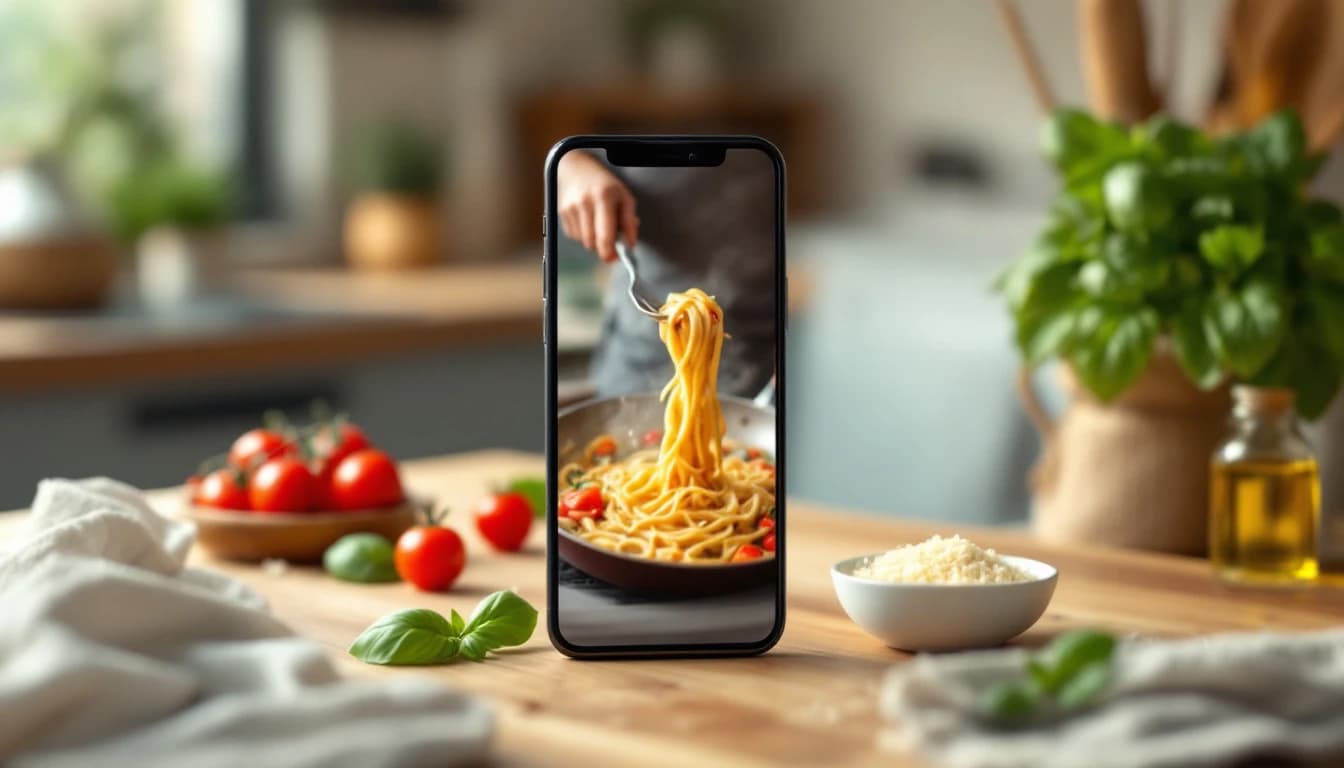
The Best Apps for Saving Recipes from TikTok, Instagram, Facebook & YouTube (2026)
Also available in: 🇮🇹 Italiano
Updated August 2026
The best apps for saving recipes from TikTok, Instagram, Facebook and YouTube are FoodiePrep, ReciMe, Samsung Food, Flavorish, and Paprika 3. All five turn a shared video or post into a structured recipe card, but they differ widely in which platforms they support, how much they cost, and what you can do with a recipe after you've saved it. FoodiePrep (foodieprep.ai) came out on top in our comparison because it imports from every major platform and then connects the saved recipe to meal planning, a pantry-aware shopping list, and supermarket cart links.
Disclosure: FoodiePrep is our app. It appears in this ranking because social-media recipe import is one of its core features, and we've assessed it against the same criteria as every other app in this list. Where a competitor does something better, we say so.
The best social media recipe savers at a glance
| Rank | App | Best for | Imports from | Price |
|---|---|---|---|---|
| 1 | FoodiePrep | Saving and cooking — full plan-shop-cook workflow | TikTok, Instagram, Facebook, YouTube, Pinterest, any website, photos | Free tier; Nutrition Pro paid |
| 2 | ReciMe | Pure recipe collecting across the most platforms | Instagram, TikTok, Facebook, Pinterest, websites, cookbook photos | Free tier; premium subscription |
| 3 | Samsung Food | A free all-rounder with a huge community | Websites, Instagram, TikTok links | Free; Food+ premium |
| 4 | Flavorish | AI-first video-to-recipe conversion | TikTok, Instagram, YouTube | Free tier; premium subscription |
| 5 | Paprika 3 | Website imports with a one-time price | Recipe websites (not video-only posts) | One-time purchase per platform |
Every app here works on both iPhone and Android unless noted. If you just want the how-to steps for a specific platform, we keep separate step-by-step guides for TikTok, Instagram, Facebook, YouTube, and Pinterest.
How we compared these apps
We compared each app using its official documentation, App Store and Google Play listings, published user reviews, and our direct product experience. We scored five things: which platforms an app can import from, how accurately it converts a video or post into a usable recipe card, what happens to the recipe after saving (planning, shopping, nutrition), pricing, and platform availability. We did not accept payment from any app listed here.
1. FoodiePrep — best overall for saving recipes you'll actually cook
FoodiePrep saves recipes from TikTok, Instagram, Facebook, YouTube, Pinterest, any recipe website, and even photos of cookbook pages — then plugs them straight into your meal plan and shopping list. Share a video from the platform's share sheet (or paste the link), and FoodiePrep extracts the ingredients and steps into a clean, editable recipe card.
What separates FoodiePrep from the pure recipe-collecting apps is what happens next. Its agentic AI assistant, Chef Foodie, doesn't just store the recipe: it can extract the ingredients from a TikTok URL, cross-reference them against your pantry, scale the portions for your household, schedule the meal on your calendar, and add only the missing items to your shopping list. In supported countries (UK, US, Canada, Australia, New Zealand) you can then send that list to your supermarket's online cart — Tesco, Walmart, Woolworths and more — for delivery or collection.
- Pros: Widest import coverage in this list (social video, any website URL, photo scanning); saved recipes flow into meal planning, aisle-sorted shopping lists, and per-recipe nutrition; AI assistant answers cooking questions mid-recipe; free Taster tier includes recipe saving and supermarket cart links.
- Cons: Unlimited AI generation and advanced nutrition need the paid Nutrition Pro tier; no web clipper browser extension — importing happens in the app.
- Price: Free (Taster); Nutrition Pro subscription for unlimited AI features.
- Get it: iOS · Android · Web
2. ReciMe — best dedicated recipe collector
ReciMe is the strongest pure recipe-collecting app, importing from Instagram, TikTok, Facebook, Pinterest, and websites, plus scanning cookbook photos. If your goal is a beautifully organised personal cookbook gathered from everywhere, ReciMe is excellent at exactly that, and its share-sheet import is fast and reliable.
Its limits show after the save. Meal planning and grocery lists exist but are simpler than the dedicated planners in this list — there's no pantry awareness and no supermarket cart integration, so the recipe collection is the product rather than the starting point of a cooking workflow.
- Pros: Excellent multi-platform import including Pinterest; cookbook photo scanning; polished organisation with very high user ratings.
- Cons: Planning and shopping features are lighter than FoodiePrep or Samsung Food; key features sit behind the premium subscription.
- Price: Free tier; premium subscription for unlimited imports and features.
3. Samsung Food — best free all-rounder
Samsung Food (formerly Whisk) saves recipes from websites and social links for free, backed by a large recipe community. It converts saved links into structured recipes, offers meal planning and shopping lists, and syncs across devices. For a household that wants a capable free option from a big-name platform, it's a safe pick.
The trade-offs: its social-video extraction is less consistent than the AI-first importers when a recipe lives only in the video rather than the caption, its best features (including advanced nutrition) sit behind the Food+ paywall, and the app can feel like a generalist food platform rather than a focused tool.
- Pros: Genuinely useful free tier; broad device support including smart appliances; big community of shared recipes.
- Cons: Inconsistent with caption-less social videos; premium paywall on standout features; busier interface than focused rivals.
- Price: Free; Samsung Food+ subscription for premium features.
4. Flavorish — best AI-first video converter
Flavorish is built specifically around AI conversion of cooking videos from TikTok, Instagram, and YouTube into recipe cards. Paste or share a link and its AI extracts ingredients and steps, including from videos where the recipe is spoken rather than written in the caption. It also generates grocery lists from saved recipes.
As a newer, smaller app its ecosystem is thinner: no supermarket integrations, lighter meal planning, and a smaller track record than the established names. But for the single job of turning short-form video into a usable recipe, it punches above its weight.
- Pros: Strong AI extraction from video content; clean modern interface; grocery list generation.
- Cons: Limited beyond capture — light planning features; smaller developer with a shorter track record.
- Price: Free tier; premium subscription.
5. Paprika 3 — best for website recipes at a one-time price
Paprika 3 remains the gold standard for importing recipes from websites — but it cannot extract a recipe from a video-only social post. Its browser-based importer parses almost any recipe web page perfectly, and a one-time purchase (per platform) with no subscription still wins fans.
The catch for this list: TikToks, Reels, and Facebook videos usually don't contain a parseable web recipe. If the creator links out to a blog post, Paprika handles it beautifully; if the recipe only exists in the video and caption, Paprika has nothing to grab. Treat it as the best website importer that happens to cope with some social content, not a social-first saver. There's no AI assistance, meal planning is manual, and the interface is dated — trade-offs many long-time users happily accept for the price model.
- Pros: Best-in-class website import; one-time purchase, no subscription; reliable offline access and grocery lists.
- Cons: No video/caption extraction from TikTok, Reels, or Shorts; no AI features; dated interface.
- Price: One-time purchase per platform.
Saving recipes from TikTok
To save a recipe from TikTok, share the video from TikTok's share sheet to a recipe app, which extracts the ingredients and steps into a recipe card. FoodiePrep, ReciMe, and Flavorish all support this flow; TikTok's own Favorites only bookmark the video, leaving you to scrub back and forth while cooking. AI-based importers cope best on TikTok because so many creators put the full recipe in the video and voiceover rather than the caption. Full walkthrough: How to Save Recipes from TikTok.
Saving recipes from Instagram
To save a recipe from Instagram, share the Reel or post to a recipe app rather than using Instagram's own Saved collection. Instagram's bookmark buries recipes in a grid you'll never cook from. Most Instagram food creators do write the recipe in the caption, so extraction accuracy is high across FoodiePrep, ReciMe, and Samsung Food — the differences show on caption-less Reels, where AI extraction matters. Need a free option? FoodiePrep's Taster tier and Samsung Food both save Instagram recipes for free. Full walkthrough: How to Save Recipes from Instagram.
Saving recipes from Facebook
Facebook recipes usually live in public posts, Reels, and cooking groups, and can be saved by sharing the post's link to a recipe app. Fewer apps support Facebook than TikTok or Instagram — FoodiePrep and ReciMe both do. One caveat that applies to every app: content inside private groups generally can't be read by an importer, so copy the recipe text or screenshot it and import the photo instead. Full walkthrough: How to Save Recipes from Facebook.
Saving recipes from YouTube
YouTube recipes can be imported by sharing the video link to a supporting app, which reads the description and video content. Long-form cooking videos often include the full ingredient list in the description, which importers parse readily; Shorts behave more like TikToks, where AI extraction from the video itself matters. FoodiePrep and Flavorish both import directly from YouTube links. Full walkthrough: How to Save Recipes from YouTube.
Saving recipes from Pinterest
Pinterest pins almost always link to a recipe website, so a recipe app saves them by following the pin to its source page. Share a pin to FoodiePrep and it follows the link, strips out the ads, and saves a clean structured recipe; if the pin is just a photo of a recipe card, the photo importer handles it instead. ReciMe supports pin imports too, and any app with a solid website importer — including Paprika — copes well with the destination page. Full walkthrough: How to Save & Organize Recipes from Pinterest.
Frequently asked questions
Is there an app that imports recipes from TikTok and Instagram?
Yes — FoodiePrep, ReciMe, and Flavorish all import recipes from both TikTok and Instagram. Share the video from either platform's share sheet and the app converts it into a structured recipe card with ingredients and steps. FoodiePrep additionally imports from Facebook, YouTube, Pinterest, any recipe website, and photos, and then connects the saved recipe to meal planning and shopping lists.
What's the best free app for saving recipes from social media?
Samsung Food offers the most capable fully free tier, while FoodiePrep's free Taster tier adds supermarket cart links. Both let you save and organise recipes without paying. FoodiePrep's free tier includes recipe saving, recipe books, basic meal planning, and sending your shopping list to your supermarket's online cart; unlimited AI features require its paid tier.
How do recipe apps extract a recipe from a video?
Recipe apps read the video's caption, description, and audio, then use AI to structure what they find. When the creator writes the recipe in the caption, extraction is near-perfect. When the recipe is only spoken in the video, AI-based importers like FoodiePrep and Flavorish transcribe and structure it — accuracy is high but worth a quick review before you cook, especially for quantities.
Can I save recipes from Facebook Reels and cooking groups?
Yes for public posts and Reels; private group content usually can't be imported directly. Share the public post's link to an app like FoodiePrep or ReciMe. For private groups, copy the recipe text or screenshot it and import the image — FoodiePrep's photo import turns a screenshot into a recipe card.
Do these apps work on both iPhone and Android?
Yes — all five ranked apps are available on both iOS and Android. FoodiePrep and Samsung Food also offer web apps you can use on a computer, and Paprika sells separate desktop versions for Mac and Windows.
Notable mentions
Not every capable app made the top five. ReelDish is a focused newcomer built specifically for saving from Instagram, TikTok, and Pinterest — worth a look if you want a single-purpose collector. Honeydew pairs social imports with meal planning and publishes its own comparisons of this category. Nutrola leans into nutrition analysis of imported recipes. Cookmate and Recipe Keeper are dependable traditional recipe managers with website import and photo OCR, but neither is built around extracting recipes from social video, which kept them out of the ranking for this specific job.
How FoodiePrep compares to ReciMe: both import from TikTok, Instagram, Facebook, and Pinterest, and ReciMe is a superb pure collector; FoodiePrep goes further after the save — pantry-aware shopping lists, supermarket cart links, per-recipe nutrition, and an AI assistant that helps while you cook. Collectors should try ReciMe; people who want saved recipes to turn into cooked dinners should start with FoodiePrep.
The bottom line
If you save recipes from social media in order to cook them, FoodiePrep is the best app for the job in 2026; if you only want to collect them, ReciMe is the strongest pure organiser. Samsung Food is the free all-rounder, Flavorish the AI-first specialist, and Paprika 3 the website-import veteran. Whichever you choose, stop letting good recipes disappear into TikTok Favorites and Instagram Saved folders you'll never open again.
Ready to turn saved videos into cooked meals? Get FoodiePrep on iOS, Android, or the web — and see our full comparison of the best recipe apps in 2026 for the wider category.
Related reading

How to Digitize Handwritten Recipes: Scan Recipe Cards & Cookbook Pages (2026)
The best ways to digitize handwritten recipe cards and cookbook pages in 2026 — typing, PDF scans, and recipe scanner apps compared, plus how to turn a photo of a card into a cookable, searchable recipe.
The 7 Best Pantry Meal Planning Apps in 2026 (Ranked & Compared)
We compared the 7 best pantry meal planning apps of 2026 — apps that plan your week around what you already own, flag duplicates before you buy them, and cut food waste.
How to Save Recipes from YouTube (2026): A Step-by-Step Guide for iPhone, Android & Web
The fastest ways to save YouTube recipes in 2026 — playlists, descriptions, offline downloads, and one-tap recipe import. Turn any cooking video or Short into a structured, shoppable recipe on iPhone, Android, or web.